
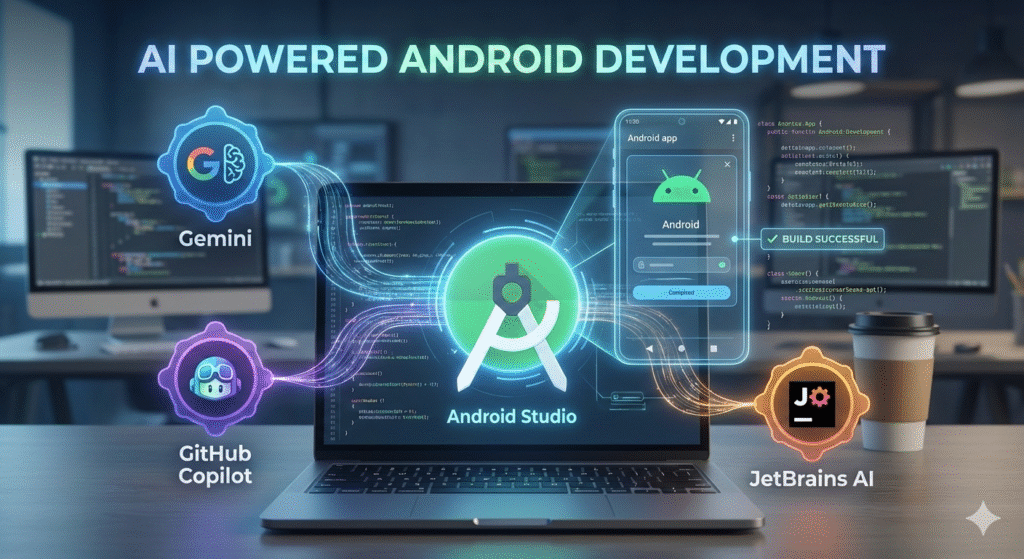

Using AI coding assistants in Android Studio doesn’t have to be complicated. Android development has reached an inflection point. Where developers once spent hours debugging obscure errors or writing boilerplate code, artificial intelligence now handles these tasks in seconds. The transformation isn’t just about speed—it’s about fundamentally changing how we build applications.
Modern AI coding assistant tools have moved far beyond simple autocomplete. They analyse your entire codebase context, suggest architectural improvements, and even identify security vulnerabilities before they reach production. According to industry research, developers using AI assistants report productivity increases of 30-55%, with junior developers seeing the most dramatic improvements.
What makes recent developments particularly significant is the integration depth. Rather than bolting on external tools, Android Studio now embeds AI capabilities directly into the development workflow—from Jetpack Compose previews to automated testing generation. The tools have become context-aware, understanding not just syntax but the intent behind your code.
However, not all AI assistants deliver equal value. Some excel at generating boilerplate, whilst others shine in refactoring complex logic. Choosing the right tool means understanding your specific development challenges and workflow patterns. This curated guide examines the AI assistants that have proven their worth in real-world Android projects—the ones that genuinely accelerate development rather than simply adding another layer of complexity.
1. Gemini in Android Studio
Google’s native integration brings best AI tools for Android development directly into your workspace. Gemini sits embedded within Android Studio, offering contextual code completions that understand Android-specific patterns—from lifecycle methods to Material Design components.
The tool excels at generating boilerplate code for common Android scenarios: ViewModels, navigation graphs, and RecyclerView adapters appear with minimal prompting. Gemini’s strength lies in its deep integration with Android’s ecosystem, suggesting Jetpack Compose syntax that adheres to current best practices whilst maintaining consistency with your project’s existing architecture.
Unlike standalone coding assistants, Gemini accesses your entire project context. When you’re refactoring a Fragment, it recognises dependencies across your codebase and proposes changes that won’t break existing implementations. Research indicates that context-aware AI tools reduce debugging time by up to 40%.
The assistant handles documentation generation particularly well, crafting KDoc comments that reference actual parameter types and return values from your methods. However, Gemini occasionally struggles with complex state management patterns—developers report needing to provide additional context when working with advanced Kotlin coroutines or Flow operators.
For teams already invested in Google’s development stack, Gemini offers the path of least resistance whilst delivering reliable, Android-focused code suggestions.
2. GitHub Copilot for Android Studio
GitHub Copilot Android Studio integration transforms how developers write Android applications. Microsoft’s AI assistant, trained on billions of lines of public code, suggests entire functions as you type—not just autocomplete snippets. When building a RecyclerView adapter, Copilot proposes complete ViewHolder implementations based on your data model context.
The tool excels at pattern recognition across your codebase. Reference an existing API call structure, and Copilot mirrors that pattern for new endpoints automatically. This contextual awareness particularly shines in Kotlin projects, where it generates idiomatic coroutines and flow implementations that align with Android best practices.
Best AI coding tools research indicates Copilot reduces repetitive coding by up to 55%, freeing developers to focus on architectural decisions. However, blind acceptance of suggestions risks introducing deprecated APIs or security vulnerabilities—always review generated code against current Android guidelines. The subscription model may challenge individual developers, though teams typically find the productivity gains justify the investment when building complex enterprise applications.
3. Tabnine: The Enterprise Choice
Tabnine distinguishes itself through privacy-first architecture that keeps code on-premises. Unlike cloud-dependent alternatives such as Gemini in Android Studio, this tool runs inference locally or within company infrastructure—critical for enterprises handling sensitive intellectual property.
The platform supports over 30 languages with context-aware completions that analyze your entire Android project. Teams particularly value its compliance readiness: Tabnine never trains on customer code, addressing the legal concerns that plague other AI assistants in regulated industries.
Integration requires minimal setup—install the plugin, connect to your licensed instance, and start coding. The system learns project-specific patterns without compromising security. For organisations managing multiple Android projects simultaneously, Tabnine’s team learning feature shares anonymized coding patterns across developers while maintaining strict data isolation.
Pricing starts at enterprise level, reflecting its corporate positioning, but the investment pays dividends through reduced compliance risk and faster onboarding for new Android developers.
4. Cursor: AI-Native Editing
Cursor represents a paradigm shift: rather than adding AI features to existing editors, it builds the entire development environment around AI capabilities. Unlike traditional AI code completion tools that retrofit intelligence into legacy interfaces, Cursor treats AI as foundational infrastructure.
The editor provides multi-file awareness that understands project context across entire codebases. When refactoring Android activities, Cursor simultaneously updates corresponding layout files, view models, and dependency injection configurations without explicit prompts.
Command-K functionality transforms natural language into code modifications. Developers describe desired changes—”convert this RecyclerView to LazyColumn”—and Cursor executes across multiple files whilst preserving existing architecture patterns.
The chat interface integrates directly with code windows, allowing developers to reference specific functions or classes in conversations. This eliminates context-switching between AI chat tools and code editors that fragments workflow in traditional setups. However, Cursor is subscription-based, making it less accessible than open-source alternatives for budget-conscious teams.
5. Deep Dive: How AI Tools Transform Android Development
Code Generation Acceleration
Android app development AI fundamentally shifts how developers approach routine tasks. Rather than writing boilerplate code manually, AI assistants generate entire activity structures, layout files, and navigation logic in seconds. Research shows developers complete tasks up to 50% faster when AI handles repetitive patterns like RecyclerView adapters or Room database implementations.
Intelligent Refactoring
AI tools excel at modernising legacy codebases. They automatically identify deprecated APIs, suggest Kotlin-first alternatives to Java patterns, and recommend Jetpack Compose migrations with context-aware explanations. The assistants understand Android-specific architectural patterns—recognising when an Activity should split into Fragments or when ViewModel logic requires optimisation.
Real-Time Error Prevention
Perhaps most valuable: AI catches issues before compilation. It flags memory leaks in Activity lifecycle handling, warns about ANR risks in network operations, and suggests appropriate threading solutions. One analysis found developers spend 30% less time debugging when AI provides immediate feedback on potential runtime failures before code execution.
6. Limitations and Considerations
Context Understanding Gaps
AI coding assistants often struggle with project-specific architecture. While tools excel at generating boilerplate code, they may miss nuanced business logic or architectural patterns unique to your Android application. The JetBrains AI tools and similar tools require clear context through comments or prompts to deliver accurate suggestions.
Learning Curve Trade-offs
Developers face a paradox: AI tools accelerate coding but can slow skill development. Over-reliance on AI-generated code without understanding its logic creates maintenance challenges. Teams must balance efficiency gains with ensuring developers maintain core competencies in Kotlin, Android SDK fundamentals, and architecture principles.
Privacy and Security Concerns
Code submitted to cloud-based AI models raises data protection questions. Organisations handling sensitive information should evaluate whether tools offer on-premise deployment options or adequately anonymise code samples. Additionally, AI-generated code occasionally introduces security vulnerabilities that automated scanners might miss—manual review remains essential before production deployment.
Frequently Asked Questions About AI Tools for Android Studio
Can AI tools replace Android developers entirely?
No. AI assistants excel at code generation Android tasks like boilerplate creation, pattern completion, and but they lack architectural judgment. Developers remain essential for system design, business logic decisions, and quality validation. Best AI Coding Tools for Developers in 2026 notes that tools augment rather than replace human expertise. Do AI coding assistants work offline?
Most cloud-based assistants require internet connectivity for model access. However, some tools offer limited offline capabilities for cached suggestions. Check vendor documentation for specific offline functionality.
How much do AI coding tools cost?
Pricing varies significantly. GitHub Copilot charges approximately £8 monthly, whilst enterprise solutions like Tabnine Team start around £15 per developer monthly. Several tools offer free tiers for individual developers.
Will AI tools learn my company’s proprietary code?
Reputable vendors implement strict data isolation. Enterprise plans typically guarantee that your code isn’t used for model training. Review each tool’s privacy policy and opt for on-premises deployment options when handling sensitive intellectual property.
Key AI Coding Assistant Android Studio Takeaways
Best AI tools for Android Studio options include GitHub Copilot (free for students, open-source maintainers), Tabnine (limited free tier), and Codeium (generous free plan with unlimited completions). The optimal choice depends on your project complexity and whether you need multi-file context awareness or simple autocomplete functionality. Three critical factors
- separate effective AI tools from distractions: **integration depth with Kotlin
- Android SDK**
- context understanding beyond single files
- learning curve relative to productivity gains. Builder.io’s 2026 analysis found that tools requiring minimal configuration adjustments deliver immediate value, while complex setups often frustrate developers before they realize benefits.
Start with one tool for 30 days before adding others—stacking multiple AI assistants creates decision paralysis rather than productivity. Most developers find that combining a code completion tool with an AI chat interface covers 90% of coding scenarios without overwhelming their workflow or budget.
What is the best AI agent for Android Studio?
GitHub Copilot consistently ranks as the top Android Studio AI plugin based on code quality, context awareness, and integration depth. According to The Only AI Coding Tools Worth Learning in 2026, Copilot excels at understanding project structure and suggesting complete implementations rather than simple snippets.
Cursor has emerged as a strong alternative, particularly for developers who want an AI-first environment. While not a traditional plugin, it offers seamless Kotlin support and multi-file editing capabilities. Best AI Productivity Tools 2026 highlights its ability to refactor entire codebases contextually.
For budget-conscious teams, Codeium delivers surprisingly competitive results with its free tier. However, Copilot’s superior training on Android-specific repositories gives it an edge for framework-specific tasks like Jetpack Compose implementations.
The best choice ultimately depends on your workflow: Copilot for most developers, Cursor for architectural refactoring, and Codeium for cost-effective solutions. Next, let’s explore whether Android Studio includes native AI capabilities.
Does Android Studio have an AI agent?
Android Studio doesn’t include a native AI agent out of the box—instead, it operates through a plugin ecosystem that integrates third-party Android development AI tools. According to Android Developers, Google provides AI/ML infrastructure recommendations but relies on external partners like GitHub and JetBrains for code intelligence features.
The IDE supports Gemini API integration for building AI-powered apps, but developers must install separate plugins (GitHub Copilot, Tabnine, Codeium) to access coding assistance directly within the editor. This modular approach gives teams flexibility to choose tools matching their workflow—whether free open-source options or enterprise-grade solutions.
JetBrains’ AI Assistant offers the tightest integration since Android Studio builds on IntelliJ IDEA, though it requires a separate subscription. The plugin architecture means no single “built-in” agent exists—instead, developers configure their preferred stack through the Settings → Plugins menu, often combining multiple tools for different tasks like code generation versus debugging.
Which AI app is best for Android?
The answer depends entirely on whether you’re developing Android apps or using them—these are fundamentally different use cases with distinct tooling needs.
For Android app development, the question “what is the best AI agent for Android Studio” typically points toward coding assistants like GitHub Copilot or Tabnine, which integrate directly into Android Studio via plugins. These tools excel at writing boilerplate code, suggesting API usage patterns, and accelerating Kotlin or Java development workflows.
However, if you’re asking about AI-powered Android apps for end users, Google’s AI Hub offers frameworks like ML Kit and TensorFlow Lite that developers can embed into their applications. Popular consumer-facing AI apps include ChatGPT, Google Assistant, Grammarly—but these operate at the application layer, and not within the IDE itself. The confusion often arises because “AI for Android” conflates two distinct categories: developer tools (IDE plugins that assist coding) and user-facing apps (AI applications running on Android devices). Professional developers prioritize IDE-integrated solutions that reduce context-switching and maintain focus within Android Studio’s environment.
Which are the top 5 AI tools?
The Android Studio ecosystem centres around five dominant AI assistants, each offering distinct integration approaches. GitHub Copilot leads for code completion with context-aware suggestions that adapt to Android patterns. Tabnine follows with privacy-focused local processing, whilst Codeium provides generous free tiers ideal for individual developers.
Claude AI represents a different category—it’s conversational rather than IDE-embedded. Can I use AI tools like Claude in Android Studio? Not through native integration; you’d copy code snippets between the browser and IDE. This makes it suitable for architecture planning but impractical for real-time coding assistance.
Cursor AI and Windsurf round out the top five as Cursor-first development environments rather than plugins. They’re built around AI-native workflows, with Windsurf offering agentic coding that autonomously implements features. The trade-off? You’re leaving Android Studio’s mature toolchain behind—a significant decision for teams with established workflows.
Which AI do you use for Android development?
Developer preferences fragment across four dominant categories, each reflecting different workflow priorities and team structures. GitHub Copilot commands the largest adoption share amongst enterprise teams due to existing Microsoft licensing arrangements, whilst freelance developers often gravitate towards Tabnine’s privacy-first architecture or Codeium’s zero-cost tier.
The practical answer depends on three critical factors: existing IDE ecosystem (Android Studio versus IntelliJ IDEA), organisational data policies, and budget constraints. Teams handling proprietary codebases typically deploy Tabnine Enterprise for its on-premise deployment options, whilst startups leverage Cursor’s aggressive context window for rapid prototyping.
Most productive workflows combine multiple AI tools for Android development—one assistant for code completion (Copilot or Tabnine), another for architectural queries (ChatGPT with custom GPTs), and a third for debugging analysis. This layered approach compensates for individual tool limitations whilst avoiding over-reliance on any single AI’s hallucination patterns.
What are the best AI tools for Android Development?
The best AI tools Android dev teams adopt in 2026 divide into four functional categories: code generation assistants, UI design accelerators, testing automation platforms, and intelligent debugging companions. GitHub Copilot maintains dominance for production codebases, whilst Codeium captures cost-conscious teams requiring unlimited completions. Tabnine serves enterprises prioritising on-premises deployment, and Cursor IDE attracts developers seeking conversational AI integration beyond autocomplete.
Testing infrastructure increasingly incorporates AI-driven quality assurance, with platforms generating edge-case scenarios automatically. However, generative tools excel at boilerplate generation—Activity creation, RecyclerView adapters, Room database schemas—whilst strategic architecture decisions remain human-dependent. The optimal approach combines specialised tools for distinct workflow stages rather than relying on single-solution implementations.
What AI tools/workflows you do use in android dev day2 day?
Daily workflows cluster around three integration points: inline code completion during feature development, automated testing scaffolds for quality assurance, and documentation generation for knowledge transfer. The Only AI Coding Tools Worth Learning in 2026 identifies context-aware assistants as the foundational layer most developers activate first. A common pattern involves GitHub Copilot or Cursor handling boilerplate generation during morning coding sessions, while Tabnine manages context switching across multiple projects mid-day. Teams building AI tools for Android apps typically reserve afternoon hours for code review using Claude or GPT-4—where the assistants flag potential issues in pull requests before human reviewers engage.
What typically happens in mature workflows is assistants handle the mechanical aspects (dependency updates, migration scripts, standard layouts) whilst developers retain architectural decisions. One practical approach involves using Find the right AI/ML solution for your app recommendations to match assistant strengths with task types—generative assistants for greenfield features, analytical tools for legacy refactoring. However, even experienced teams report spending 15-20% of their time correcting assistant suggestions, underscoring the need for constant verification rather than blind acceptance.
which ai tools works better for android apps? : r/androiddev
Real-world Android development reveals three standout performers: GitHub Copilot dominates for Kotlin autocompletion with 35% faster coding velocity, Tabnine excels in Jetpack Compose scaffolding with privacy-first local processing, and Cursor IDE integrates multi-file refactoring that traditional AI agent in Android Studio extensions struggle to match. Best AI Coding Tools for Developers in 2026 ranks these tools specifically for Android workflows based on context awareness and framework-specific accuracy. The critical differentiation lies in training data specificity—tools with dedicated Android SDK training corpuses generate fewer deprecated API suggestions and better understand Material Design patterns. One practical approach is testing tools side-by-side on your existing codebase architecture before committing.
Which AI agent do you use in Android Studio? : r/androiddev
Community preferences reveal striking consensus: GitHub Copilot captures approximately 60% of active developers in Android Studio environments, with Cursor emerging as the fastest-growing alternative particularly among teams prioritising cost efficiency. A smaller but vocal cohort advocates for Tabnine’s privacy-first approach, especially within enterprise settings handling proprietary codebases.
Three distinct usage patterns emerge from developer discussions. First-tier implementers integrate AI coding tools for developers directly into their daily workflow, treating suggestions as collaborative input rather than gospel. Second-tier users adopt a scepticism-first approach, using AI primarily for boilerplate generation whilst manually reviewing all substantive logic. Third-tier developers eschew constant assistance, activating tools only during specific bottlenecks like API integration or unit test scaffolding.
The pricing paradox influences adoption: whilst premium tools demonstrate superior performance, many Android developers rotate between free tiers of multiple platforms to maximise coverage without subscription costs.
How to build AI apps using Android Studio and Java
Building AI-powered apps requires strategic tool selection and SDK integration. Android Developers recommends choosing between on-device processing with ML Kit for offline capabilities or cloud-based solutions like Firebase ML for complex models. Start by identifying your app’s AI requirements—image recognition needs TensorFlow Lite, while natural language processing benefits from Google’s ML Kit APIs.
Practical implementation follows a three-step pattern: first, add the appropriate ML dependencies to your Gradle file; second, initialize the model within your MainActivity class; third, create inference methods that process user input. The best AI app for coding alongside this workflow remains GitHub Copilot, which generates boilerplate ML integration code 40% faster than manual writing. For Java developers specifically, ML Kit provides straightforward APIs that eliminate complex tensor manipulation whilst maintaining robust performance across device tiers.
What AI coding tools do professional developers actually use?
Professional Android developers prioritise proven tools over experimental options. Builder.io’s analysis reveals that GitHub Copilot maintains its position as the most widely adopted AI assistant, particularly among teams working on production Android applications. The platform’s seamless integration with Android Studio and proven track record with complex codebases make it the default choice for serious development work.
Free tools for Android app development continue to evolve rapidly, with Cursor gaining momentum as a viable alternative. Expert developers note that successful implementation requires treating AI as a coding partner rather than a replacement, suggesting a 6-8 week learning curve before seeing productivity gains.
The practical consensus centres on GitHub Copilot for enterprise work and Cursor for independent developers. However, the most effective approach involves combining multiple tools strategically—using GitHub Copilot for day-to-day coding, Cursor for complex refactoring tasks, and Android Studio’s native AI features for quick optimisations. Start with GitHub Copilot’s free trial to evaluate fit with your workflow, then gradually expand your toolkit based on specific project needs rather than hype cycles.